 BlueprintReview
Time-lapse: an asset's history
Step through every revision of an asset and see what each one changed, as P4V's Time-lapse View does for text files. It works with git and Perforce.
Pro: Time-lapse is part of Pro (and the trial). In Lite the History button shows a PRO mark.
Before you start
- The asset must be in a git work tree, or a Perforce workspace the app can reach
(Connect the app to Perforce). The source control button at the
top right says
✔ Gitor✔ Perforcewhen it is. git(Git for Windows) orp4(P4V's installer) on yourPATH.
Steps
- Open the asset from your work tree or workspace (not a copy elsewhere).
- Click History, the clock button next to Diff against…. A bar appears under the toolbar with a tick for each revision, oldest on the left; your uncommitted changes, if any, are the last tick, Local.
- Click a tick. The diff view shows that revision against the one before it: what that commit or changelist did. Hover a tick for its date, author and description.
- Step with ◀ Older and Newer ▶, or Left and Right with the pointer over the bar. The graph you have open stays open as you step.
- To compare any two revisions, switch to Range: drag the orange (old) and blue (new) handles.
- Exit time-lapse takes you back to your working copy.
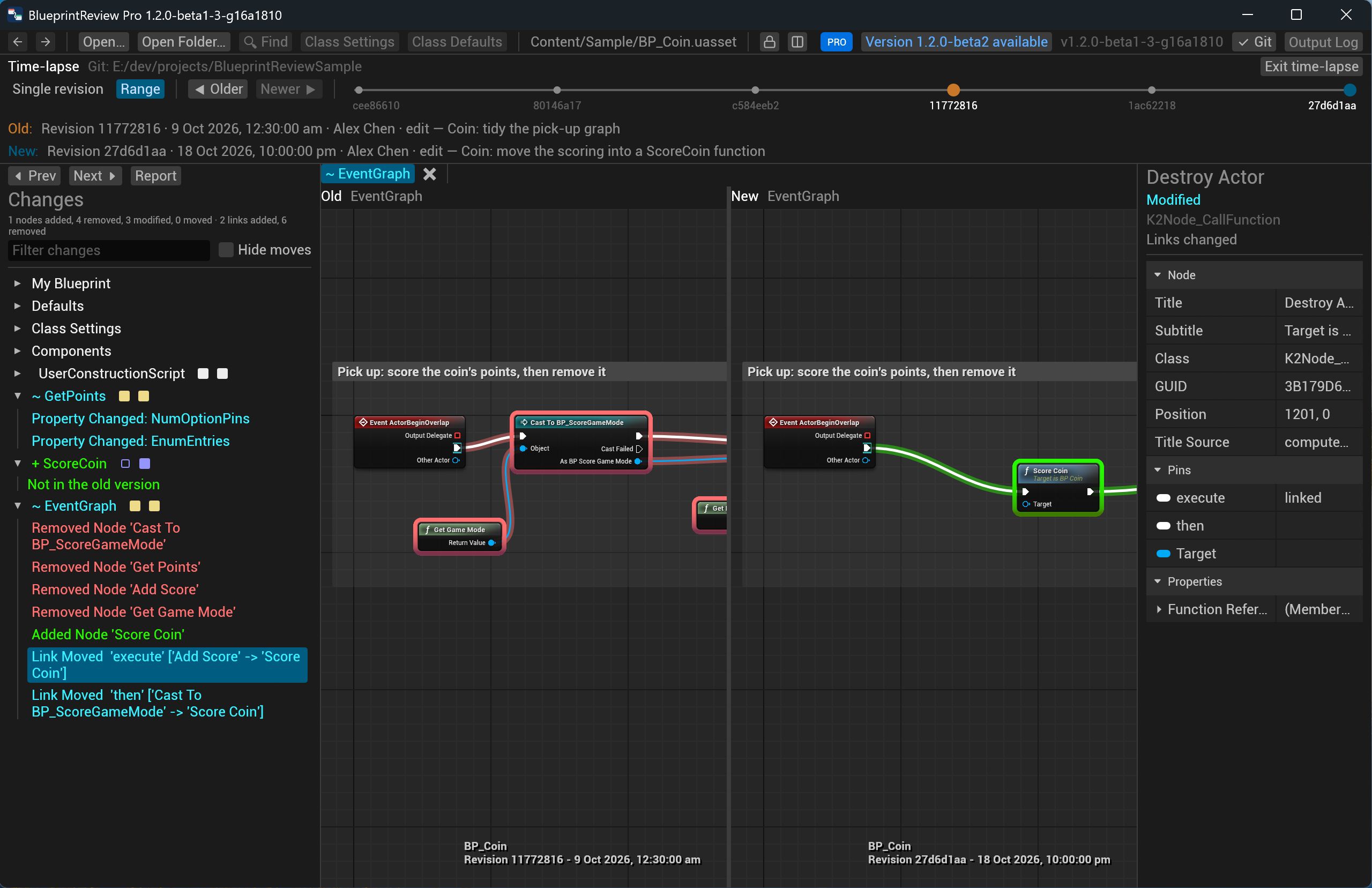
Under the bar, Old: and New: say which revisions are shown, with their message. Revisions are fetched in the background and kept, so stepping back is instant. The first revision is shown against nothing, so everything in it is added.
With git, the history follows the file through renames, on the main line of merges only (like a Perforce file log). With Perforce, it follows moves and branches.
Try it on the sample
- Open
sample-project/Content/Sample/BP_Coin.uasset(from the clone, so the app finds git). - Click History. The bar has six ticks: the commits that changed the coin.
- Click the second tick, Coin: Silver coins…: in
GetPoints, the Equal (Enum) check for Gold is gone, and a Select on the coin type picks the points. - Press Newer ▶: the spin commit. Changes lists the Spin component, and Collision and Mesh changed.
- Press Newer ▶ again: the tidy commit, which only moved nodes. Tick Hide moves and Changes is empty.
Related
- Compare two versions: reading the diff view.
- Review changes in git and in Perforce.