 BlueprintReview
Editions and licenses
Lite and Pro
| Lite (free) | Pro | |
|---|---|---|
| Open and browse Blueprints, enums, structs, data tables, whole folders | ✓ | ✓ |
| Find, Find in Blueprints, copy nodes | ✓ | ✓ |
git diff as text, the GitHub Action's comment |
✓ | ✓ |
| A diff as a report, Save as HTML | ✓ | ✓ |
| The interactive side-by-side diff | ✓ | |
| Time-lapse | ✓ | |
blueprintreview diff and blueprintreview render |
✓ |
A new install runs as Pro for 14 days, with nothing to register. After that it runs as Lite until you activate a license. During the beta, everything is unlocked.
The label at the top right says where you stand, and so does the window title:
| Label | Means |
|---|---|
| PRO TRIAL · 12 DAYS | the trial, with the days left |
| BETA | the beta: everything is unlocked |
| LITE | the trial ended; Pro's buttons are marked PRO |
| PRO | licensed |
In the trial's last three days, and once after it ends, a thin bar under the toolbar reminds you; Not now hides it until the next day.
Buy a license
Pro licenses are on the pricing page: a Pro license for one
person on up to two computers, or a Team license with a seat per person. The key arrives by email from
licenses@efenggamedev.com.
Activate it
- Click Activate… at the top right (in Lite, Upgrade…), or click the label next to it.
- Paste your key into the License window and click Activate.
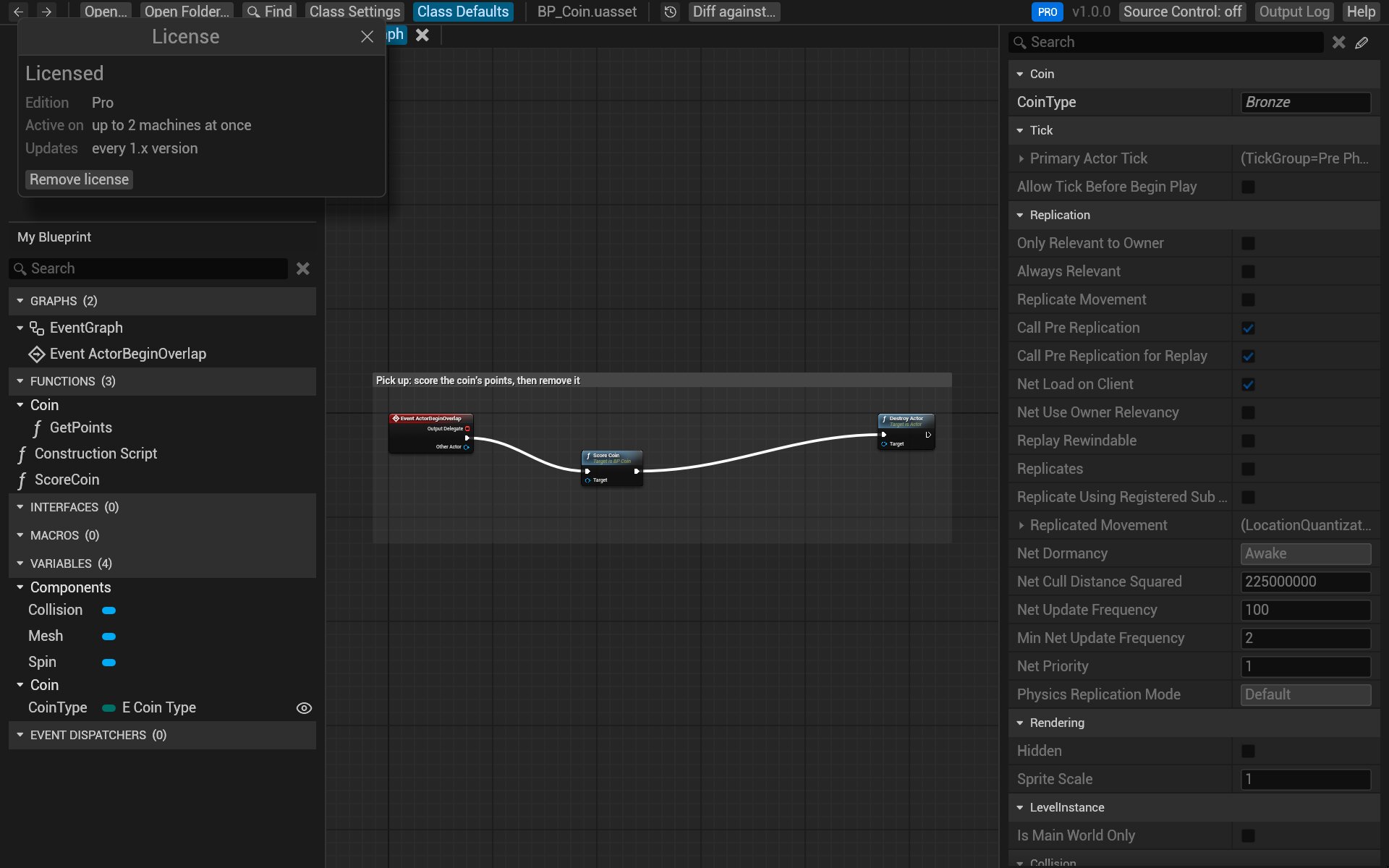
Activation happens once per computer, online: it sends the key and an anonymous machine ID (a hash, never your computer's name). After that the license is checked offline, so BlueprintReview works without a connection. The version number's menu at the top right has License… to open the window again.
Move it to another computer
A Pro key is active on two computers at once, a Team key on as many as it has seats.
- On the old computer, open the License window and click Remove license. That frees its place.
- On the new one, activate the key as above.
If the old computer is gone for good, write to support@efenggamedev.com with your key, and we'll free its place.
Privacy
Apart from activation and the daily update check (which reads the newest version number), BlueprintReview makes no network calls. Your assets never leave your computer. See the privacy policy.