 BlueprintReview
Share a diff
Send a Blueprint change to someone who doesn't have BlueprintReview: as one HTML page, as images, or as text for a ticket or chat.
As an HTML page
- Open the diff (Compare two versions, or from git or P4V).
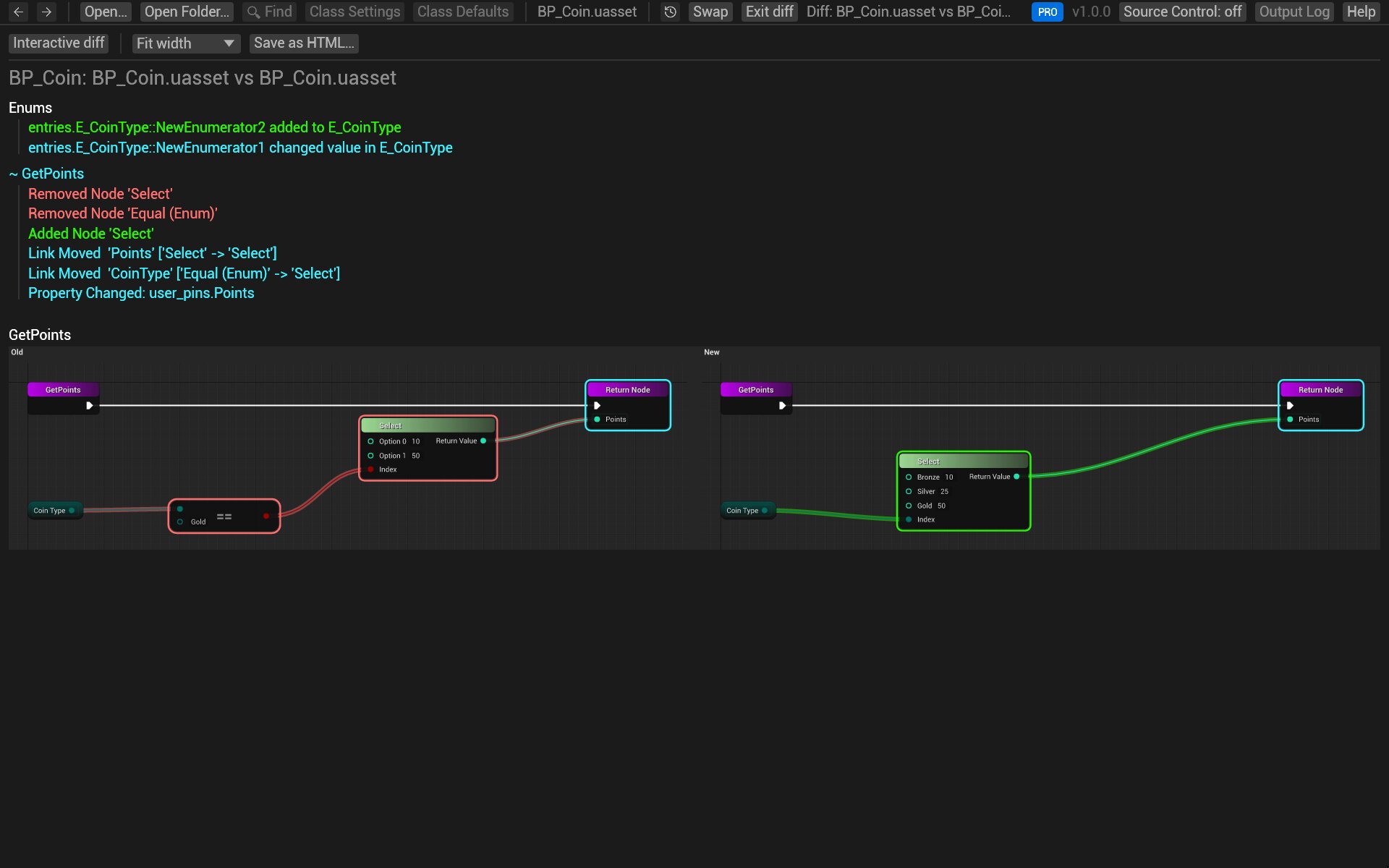
- Click Report above Changes. The report lists every change, then shows each changed graph's old and new versions side by side.
- Click Save as HTML… and choose where to save it.
The file holds everything, images included, and opens in any browser. It works in Lite too.
As images
blueprintreview render writes each graph as an SVG image. With --against, it writes the changed graphs only,
old and new side by side, with the changes highlighted:
blueprintreview render Content/Sample/BP_Coin.uasset --against old/BP_Coin.uasset -o coin-diff
coin-diff/ then holds an .svg per changed graph, which browsers, chat apps and most wikis show.
As text
blueprintreview diff prints the change list as Markdown, for a ticket, a pull request description or chat:
blueprintreview diff old/BP_Coin.uasset Content/Sample/BP_Coin.uasset > coin-diff.md
--format json gives the same as JSON, for scripts. --exit-code makes it exit with 1 when something other than moves changed,
for CI.
Pro:
blueprintreview diffandrenderare part of Pro (and the trial).
Copy nodes
To show someone the nodes themselves, copy them and paste into blueprintue.com, which gives you a link to share.
Try it on the sample
-
Open the change from the "Silver coins" commit: in the sample's folder,
git difftool -y -t blueprintreview "HEAD~11" "HEAD~10" -- Content/Sample/BP_Coin.uasset -
Click Report, then Save as HTML…, and open the file in your browser.
Related
- Compare two versions
- Command line: every option of
diffandrender.