 BlueprintReview
Copy nodes
Copy nodes from BlueprintReview and paste them into the Unreal Blueprint editor, or into blueprintue.com to share them. The copy is the editor's own copy text, so the nodes paste with their pins, values and wires.
Steps
- Open the Blueprint and the graph with the nodes.
- Select the nodes:
- click a node; Shift+click to add more, Ctrl+click to toggle one;
- or drag a box on empty space (a comment is picked by its title bar);
- or press Ctrl+A for the whole graph (with the pointer over it).
- Press Ctrl+C, or right-click and choose Copy.
- In the Unreal editor, open a Blueprint graph and press Ctrl+V. On blueprintue.com, paste into the page's box.
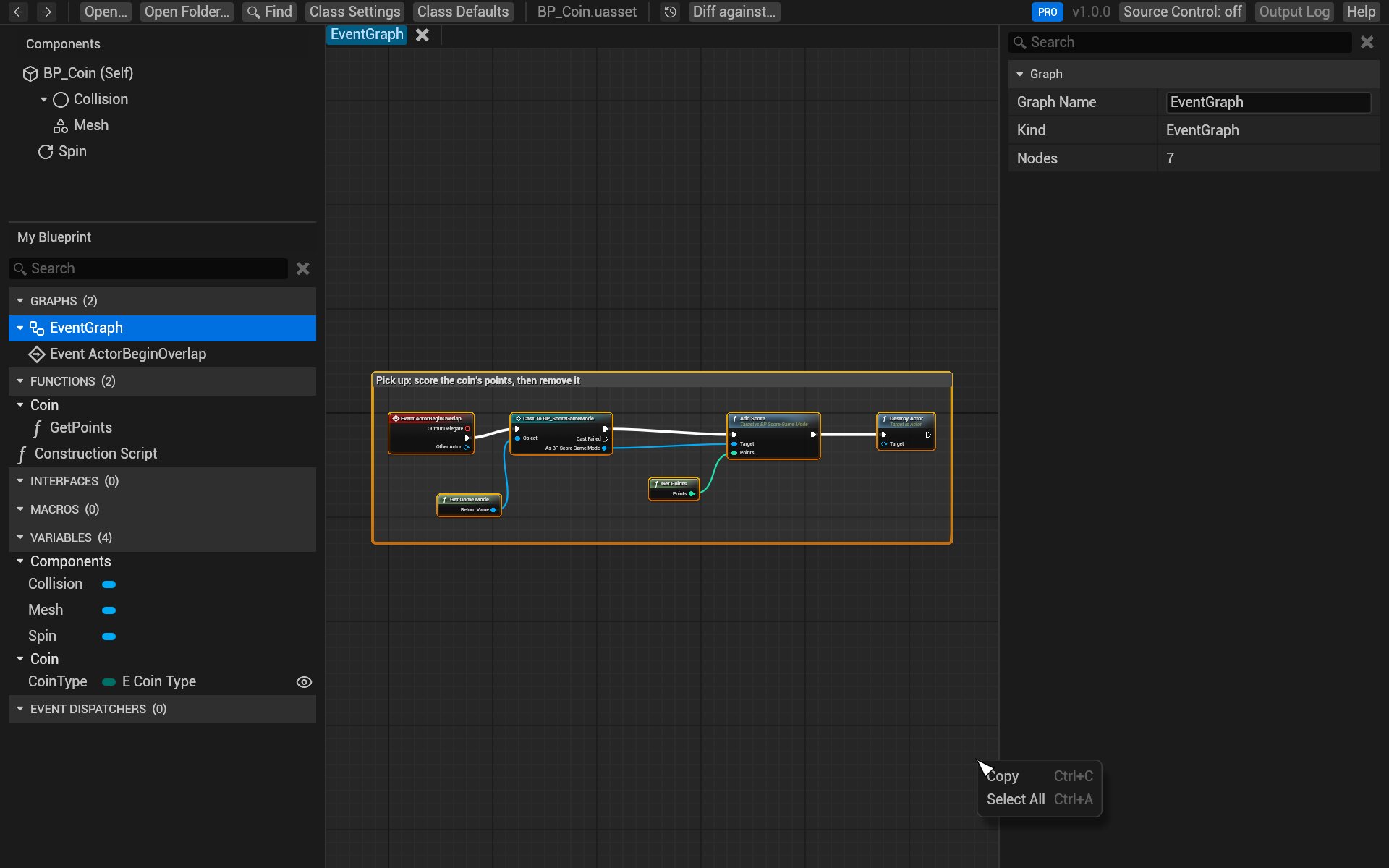
Wires between copied nodes come along; wires to nodes you didn't copy are left out, as in the editor. Nodes that call functions or read variables the target Blueprint doesn't have paste as they do in the editor: with a warning until you add them.
You can also copy a variable or a graph from My Blueprint (right-click → Copy), and a value from Details (right-click a row → Copy, Copy Display Name or Copy Internal Name).
From the command line
blueprintreview copy prints the same text, for a whole graph or chosen nodes:
blueprintreview copy Content/Sample/BP_Coin.uasset --graph EventGraph > nodes.txt
See the command-line reference for its options.
Try it on the sample
- Open
Content/Sample/BP_Coin.uasset. - In the event graph, drag a box around Event ActorBeginOverlap and Score Coin.
- Press Ctrl+C and paste into a text editor: you'll see the
Begin Objectblocks the editor pastes from.