 BlueprintReview
Review changes in git
Make git show Blueprints properly: git difftool opens BlueprintReview's side-by-side diff, and git diff,
git log -p and git show print what changed in a Blueprint as text, instead of Binary files differ. Git LFS
works as usual.
Set it up once
-
Install BlueprintReview (the installer puts
blueprintreviewon yourPATH), Git, and Git LFS if your project uses it. -
For your account, in any terminal:
blueprintreview git-setup --globalThis adds BlueprintReview as a difftool named
blueprintreview, and as the text driver for Blueprints. -
In each project repository, once:
blueprintreview git-setup
git add .gitattributes
git commit -m "Show Blueprints in git diff"
This adds
*.uasset diff=blueprintreviewto.gitattributes. Once it's committed, teammates only need step 2.
--dry-run on either command prints what would change and changes nothing.
Review your uncommitted changes
git difftool -y -t blueprintreview -- Content/Characters/BP_Hero.uasset
opens the file as it is now against the last committed version. Leave the path out to step through every changed
asset in turn (-y skips git's question before each). Each side is labelled with where it comes from:
Revision 4d46d5f… - <date> for a commit, Local Revision for your working copy.
Review a commit
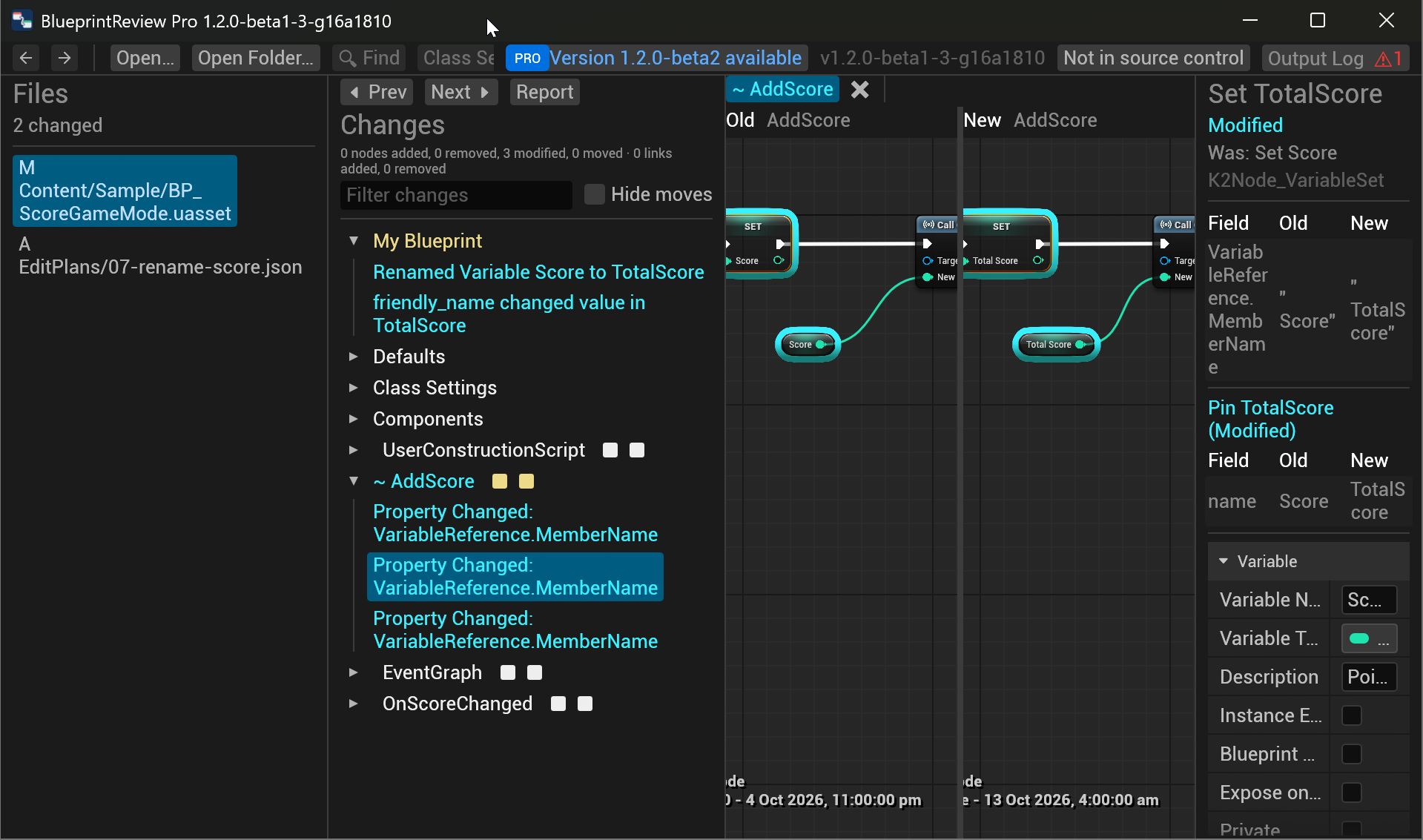
git difftool -d -y -t blueprintreview HEAD~1 HEAD
-d opens one window for the whole commit: a Files panel on the left lists every Blueprint it changed, marked
M (modified), A (added) or D (deleted). Click one to see its diff. Replace HEAD~1 HEAD with any two
commits, tags or branches.
Compare a branch with main
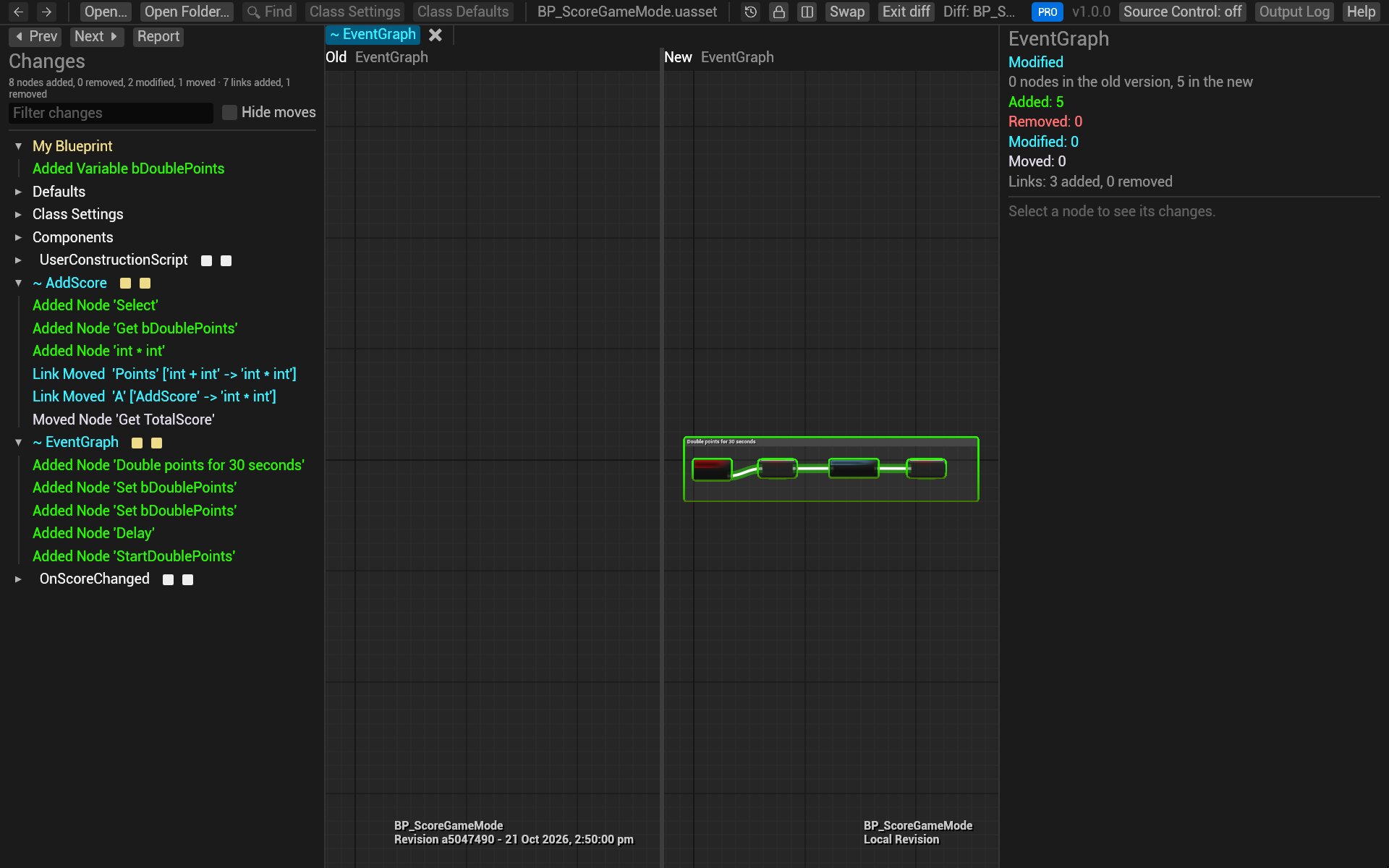
git difftool -d -y -t blueprintreview main...feature/double-points
The three dots compare the branch with where it left main, so you see only the branch's own changes, as a pull
request does.
Read changes as text
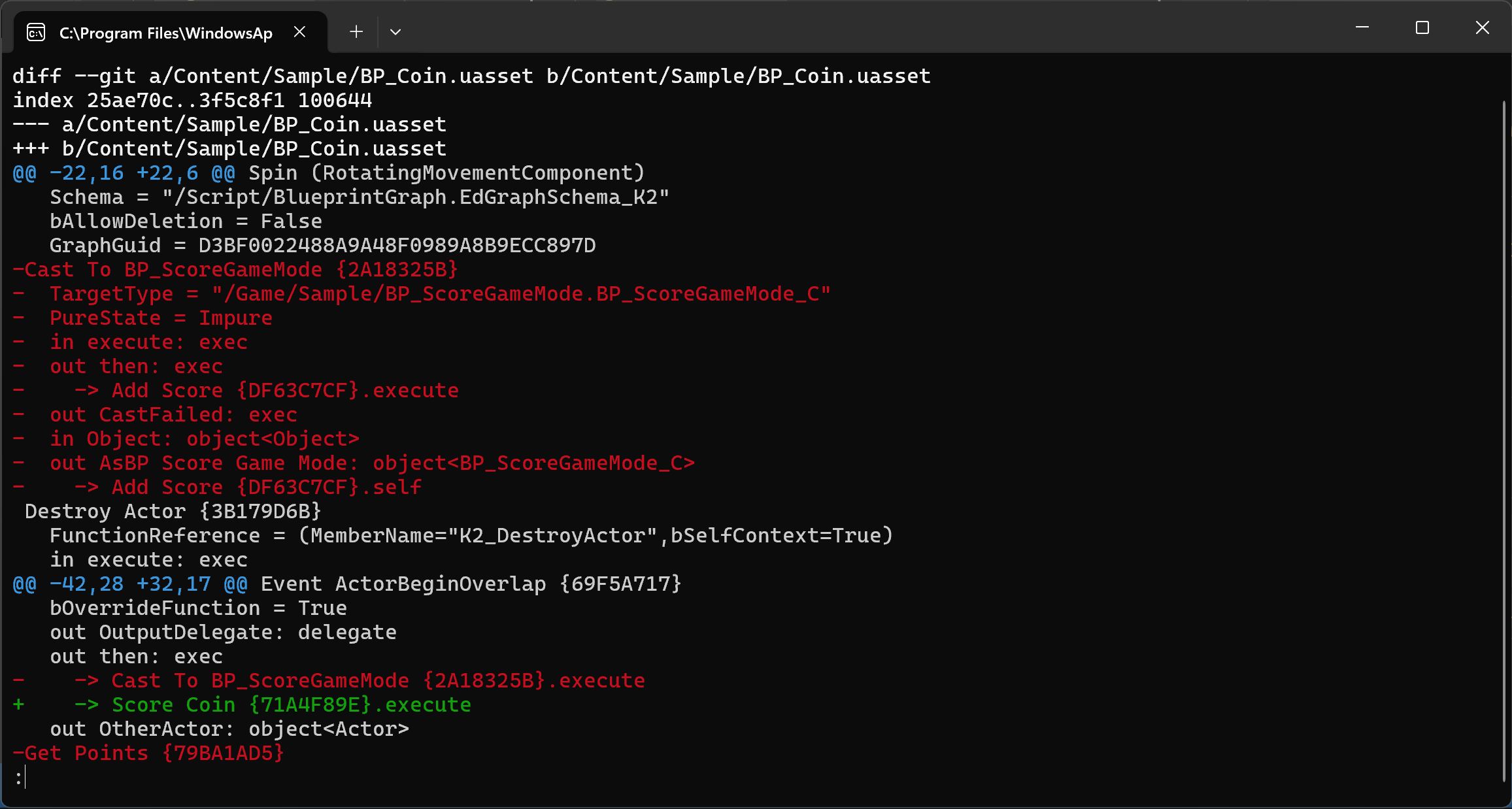
After the setup, the usual commands describe Blueprints in words, one fact per line:
git diff -- Content/Sample/BP_Coin.uasset
git log -p -3 -- Content/Sample
git show HEAD
 Event ActorBeginOverlap {69F5A717}
   bOverrideFunction = True
   out OutputDelegate: delegate
   out then: exec
-    -> Cast To BP_ScoreGameMode {2A18325B}.execute
+    -> Score Coin {71A4F89E}.execute
   out OtherActor: object<Actor>
Each node is listed with its properties and pins, and each wire once, on the pin it leaves (->). The braces hold
the start of the node's GUID, to tell two nodes of the same name apart.
This is handy for a quick look, git log -S, and code review tools that only show text. Node positions are left
out, so moving nodes shows no change.
Try it on the sample
In the sample's folder (after getting it):
-
git log --onelinelists the commits. -
Review the commit that renamed the score variable:
git difftool -d -y -t blueprintreview "HEAD~7" "HEAD~6"Files lists
BP_ScoreGameModealone; its Changes show Renamed Variable Score to TotalScore and the three nodes that follow it. -
Compare the branch:
git difftool -d -y -t blueprintreview main...feature/double-points.AddScoregains a bDoublePoints check, and the event graph a StartDoublePoints event. -
git log -p -2 -- Content/Sample/BP_ScoreGameMode.uassetprints the last two changes as text.
Troubleshooting
- The diff shows a "Git LFS pointer": the file wasn't downloaded. Run
git lfs pull. - git asks which tool to use, or opens another one: pass
-t blueprintreview, or make it the default withgit config --global diff.tool blueprintreview. git diffstill saysBinary files differ: the repository's.gitattributeslacks the line; runblueprintreview git-setupin it.
Related
- Compare two versions: reading the diff view.
- Time-lapse: an asset's history, step by step.
- Review pull requests on GitHub.